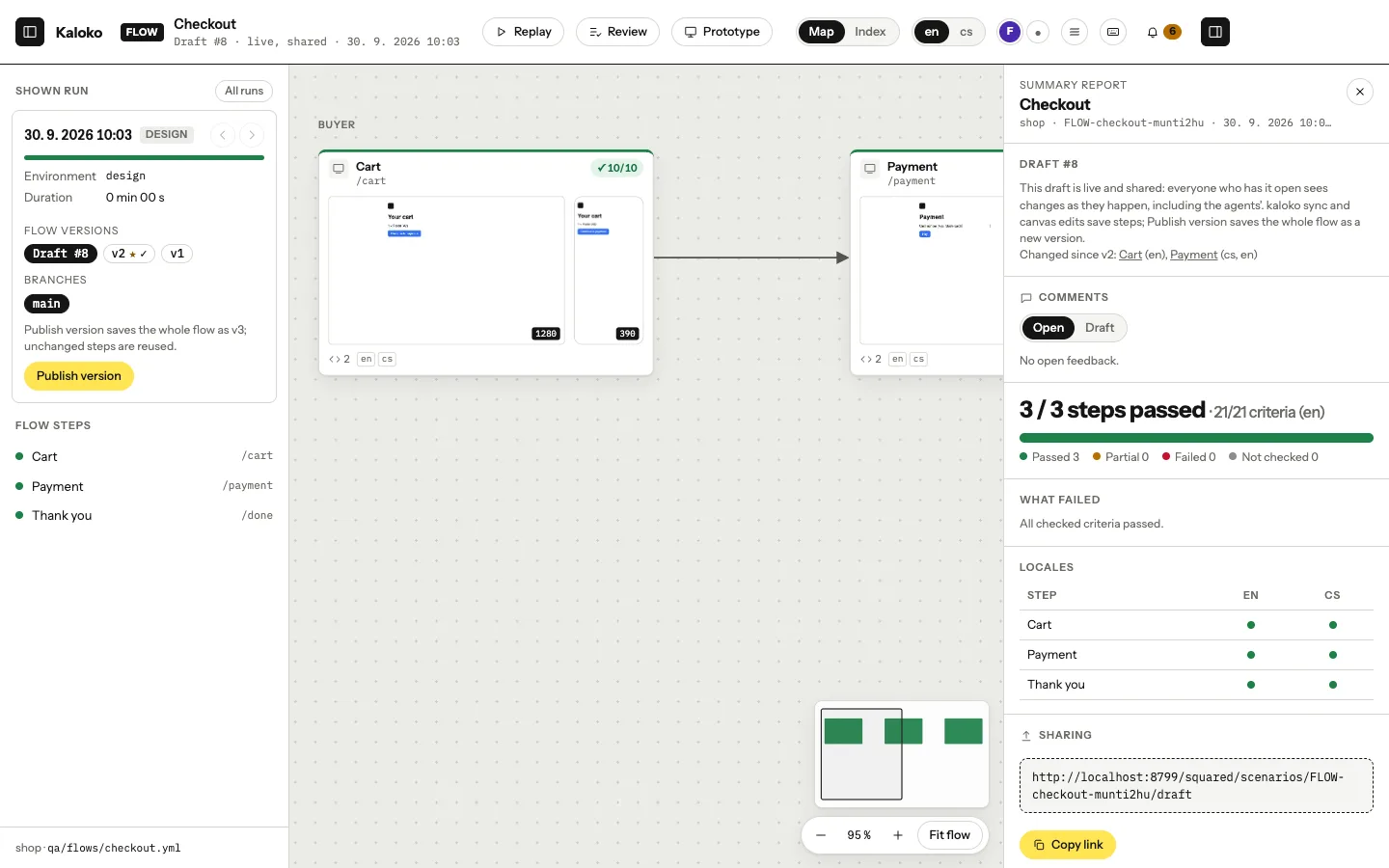
Walk, lint and sync`design lint` checks the folder against the portable HTML rules: relative URLs, no CDNs, no storage, predictable content. `walk` renders only the steps that changed, and `sync` saves them into the shared draft and takes the steps others changed.
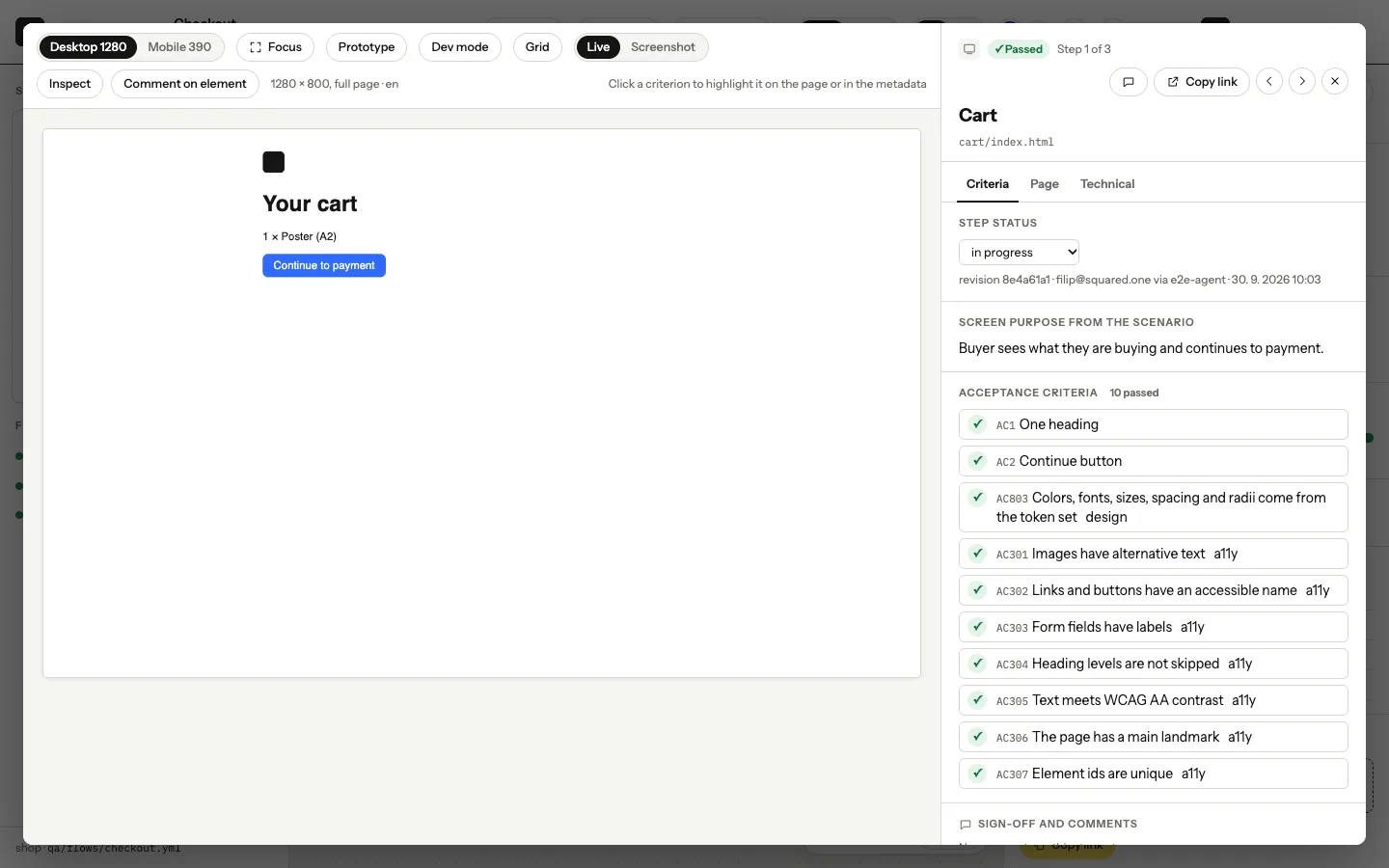
Comment togetherThe team opens the draft on the canvas, clicks through the live steps and pins comments to elements. Everyone sees who else is looking. Your agent reads the comments with `kaloko feedback`, changes what they ask for and syncs again.
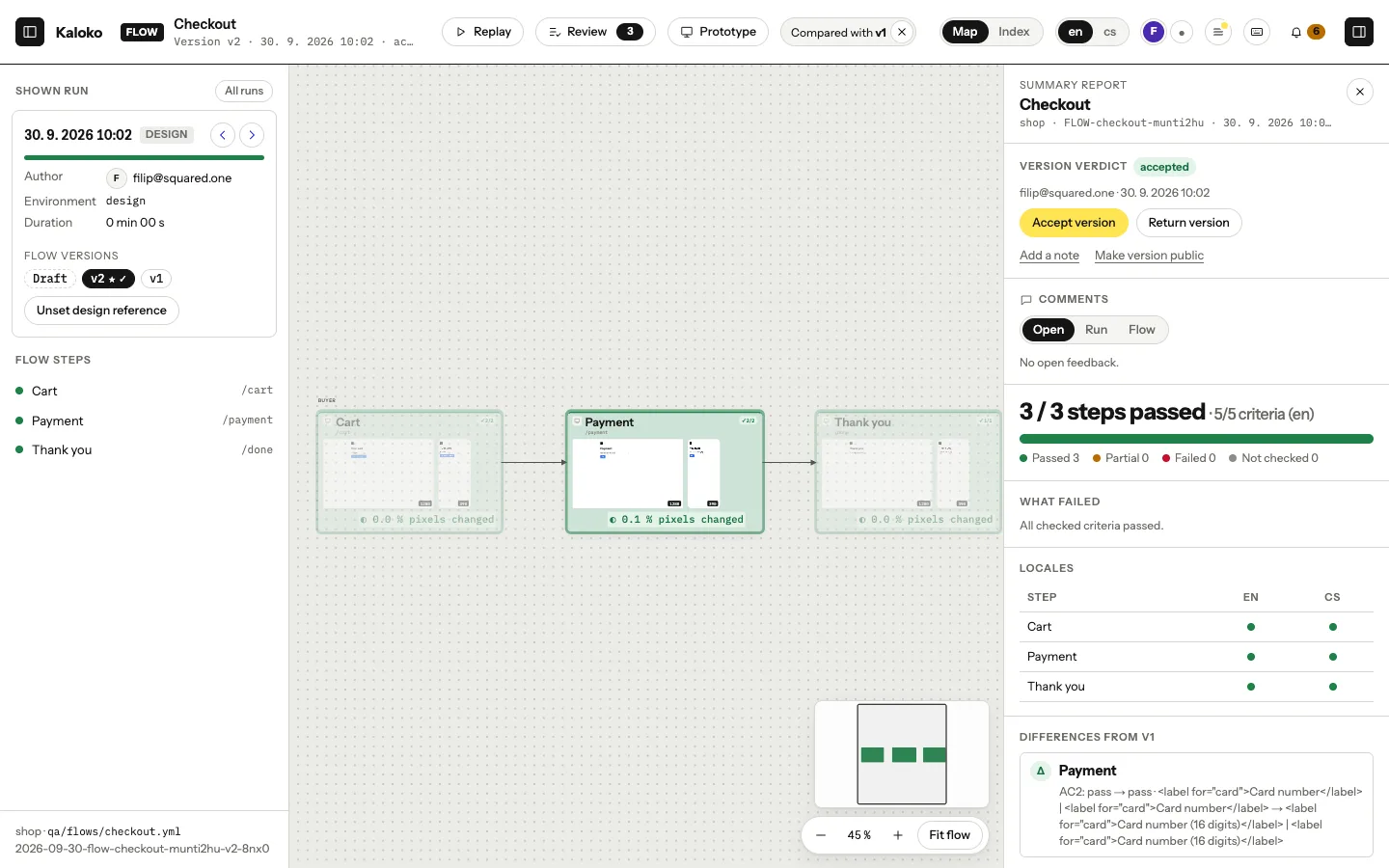
Publish a versionThis publishes a version of the whole flow, such as "v2 · 3 changed, 17 unchanged". Unchanged steps are stored once. `share --notes-preview` shows the notes on what changed before you publish.
← → or swipe to move, Esc to go back