Design a flow with your agent
In this tutorial you design the screens of one flow as live HTML with your own agent, let the team comment on them, publish a version and make it the design that every implementation is checked against. You need a project where kaloko init has run and a scenario for the flow, for example qa/flows/checkout.yml.
Add a design environment
A design environment is a folder the CLI serves while it walks. Add it to kaloko.config.yml:
environments:
  design: { kind: design, serve: design }
The scenario stays the one development and QA use: same step ids, same criteria. A design is checked against the acceptance criteria too, before anyone builds it.
Let the agent draw the steps
Ask your agent, with whatever design skill your team uses:
Design the checkout flow into design/ with our brand skill: one folder per step of qa/flows/checkout.yml, shared CSS in design/_shared, tokens in design/tokens.json. Then run kaloko walk and kaloko sync.
Each step becomes design/<step>/index.html: plain HTML, CSS and JS that open from disk. Links between steps are relative links such as ../payment/index.html.
Walk, lint and sync
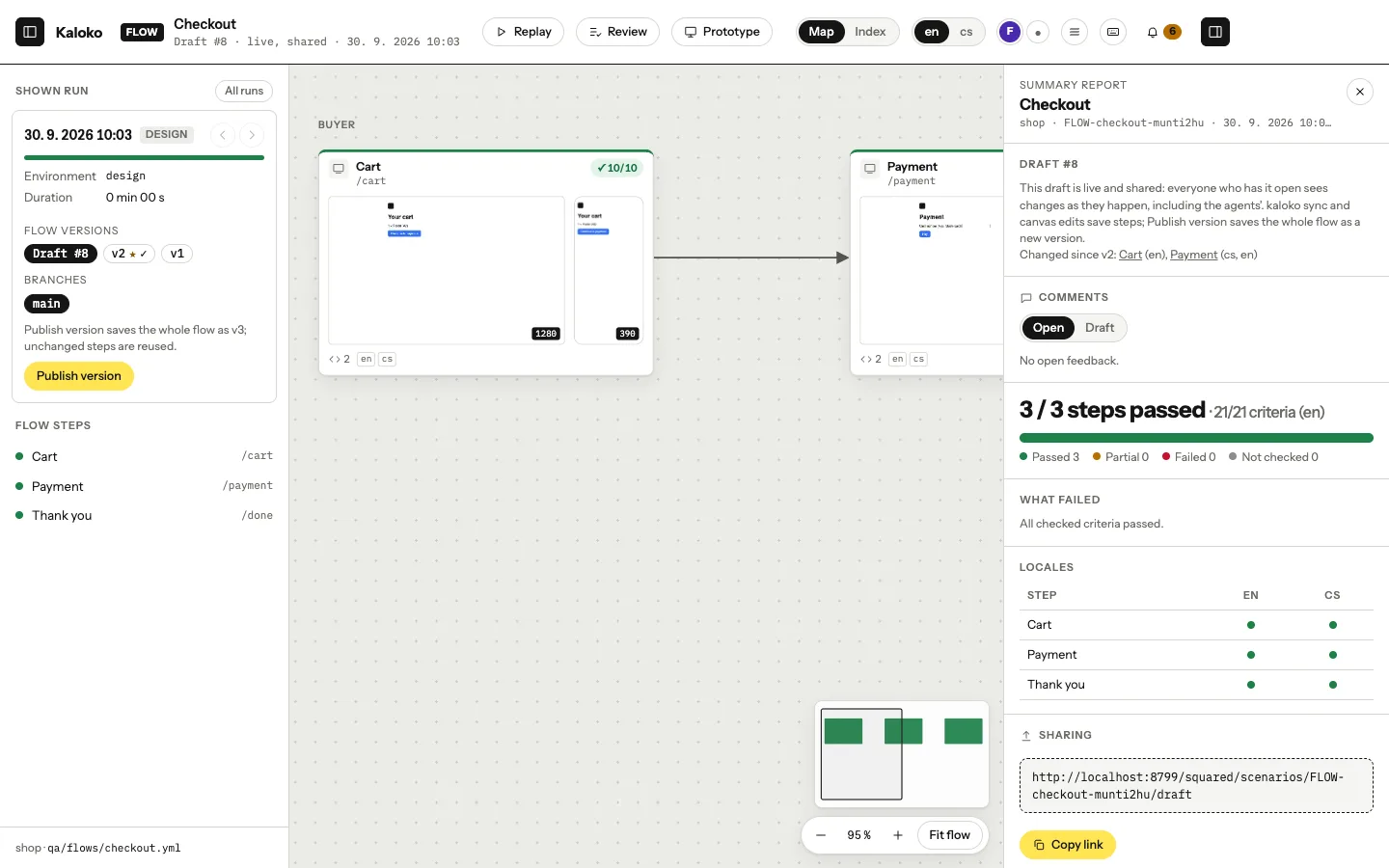
npx kaloko start --scenario qa/flows/checkout.yml --env design
npx kaloko design lint
npx kaloko walk
npx kaloko sync
design lint checks the folder against the portable HTML rules: relative URLs, no CDNs, no storage, predictable content. walk renders only the steps that changed, and sync saves them into the shared draft and takes the steps others changed.
One template, several variants
Some steps come in variants: an e-mail for each reason support can pick, a landing page for each city, a card for each plan. Make such a step a stack step in the scenario and give each variant a folder of its own:
- id: credit
  kind: stack
  title: Credit from support
  items: { urls: [refund, late, damaged] }
design/credit/index.html an overview, optional
design/credit/refund/index.html
design/credit/late/index.html
design/credit/damaged/index.htmlWithout items.urls naming the folders, every subfolder with an index.html is a variant. walk captures each variant in every viewport, and on the canvas the step opens a list of its variants with their results. Click one to see it live. design lint reports a variant folder without its index.html.
Web fonts and a prototype that remembers
Live steps load files only from the design folder. If your designs take fonts from Google Fonts, Adobe Fonts or your company CDN, an organization admin adds those addresses in Settings → Security → Fonts and assets of designs. List them on the environment too:
environments:
  design: { kind: design, serve: design, origins: [https://fonts.googleapis.com, https://fonts.gstatic.com] }
design lint then tells you which of them the organization does not allow yet. Stylesheets, fonts and images load from those addresses; scripts never do.
A cart filled on one step can show on the next: ask the agent to keep it in the prototype state (window.kaloko.state). Every step still shows its own sample data when someone opens it alone, and Start over in the presentation empties the cart again.
Comment together
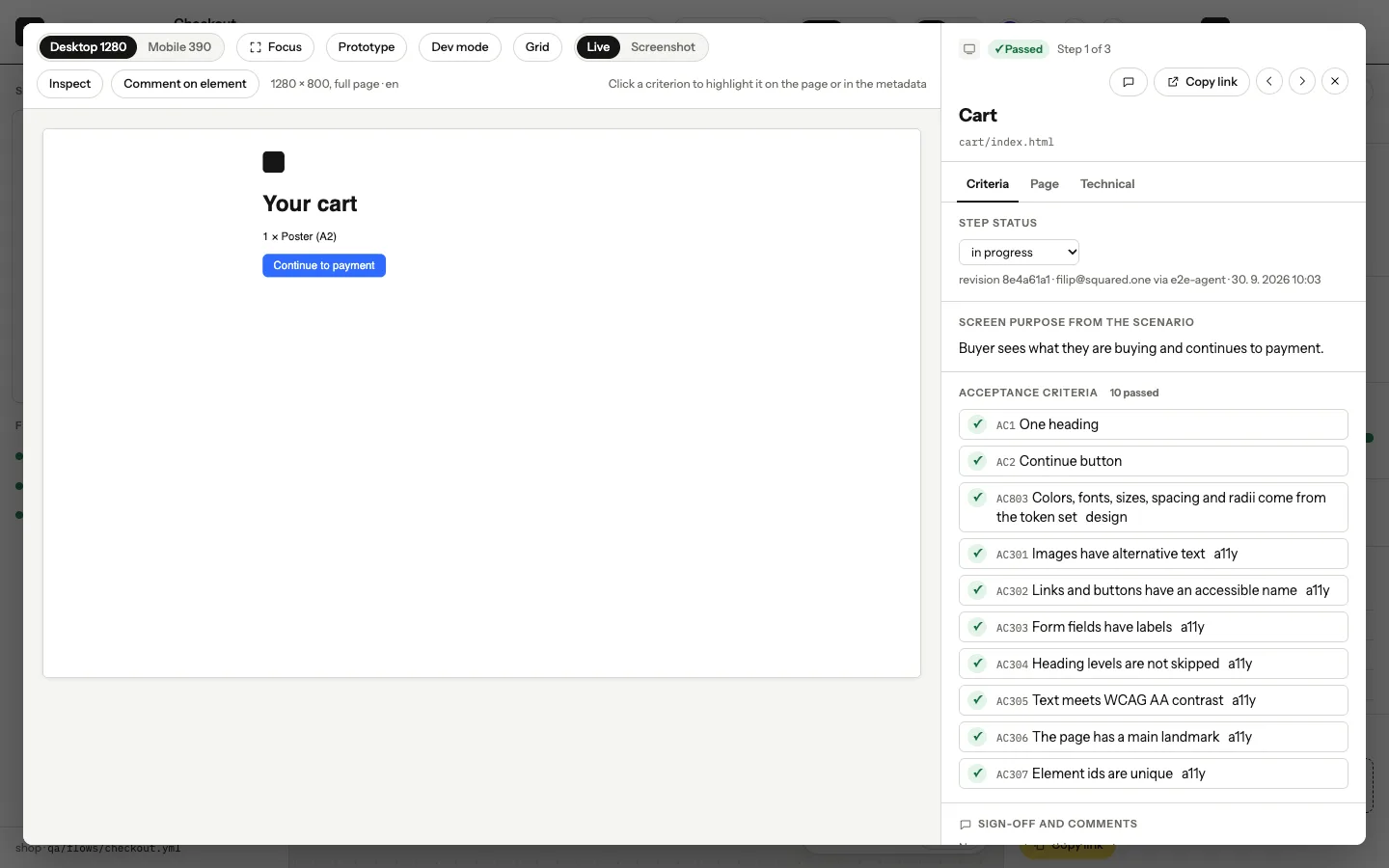
The team opens the draft on the canvas, clicks through the live steps and pins comments to elements. Everyone sees who else is looking. Your agent reads the comments with kaloko feedback, changes what they ask for and syncs again.
Empty carts and brand themes
A screen people only see in its happy state gets built without the others. List them on the step, and the agent draws a page for each one next to the step's page:
  - id: cart
    states: [empty, error, loading]
design/cart/empty.html is the empty cart, design/cart/error.html the one that failed to load. Each state is a capture of its own with its own comments and verdicts, and the canvas gets a State switcher next to the language.
A token set with several modes, such as brand-a and brand-b, renders every step in each mode, with the mode's tokens as CSS custom properties, and the canvas gets a Token mode switcher. tokens_mode in the environment stays the default mode; token_modes: [brand-a, brand-b] picks which modes to render. Light and dark alone follow color_schemes: [light, dark] as before.
Publish a version
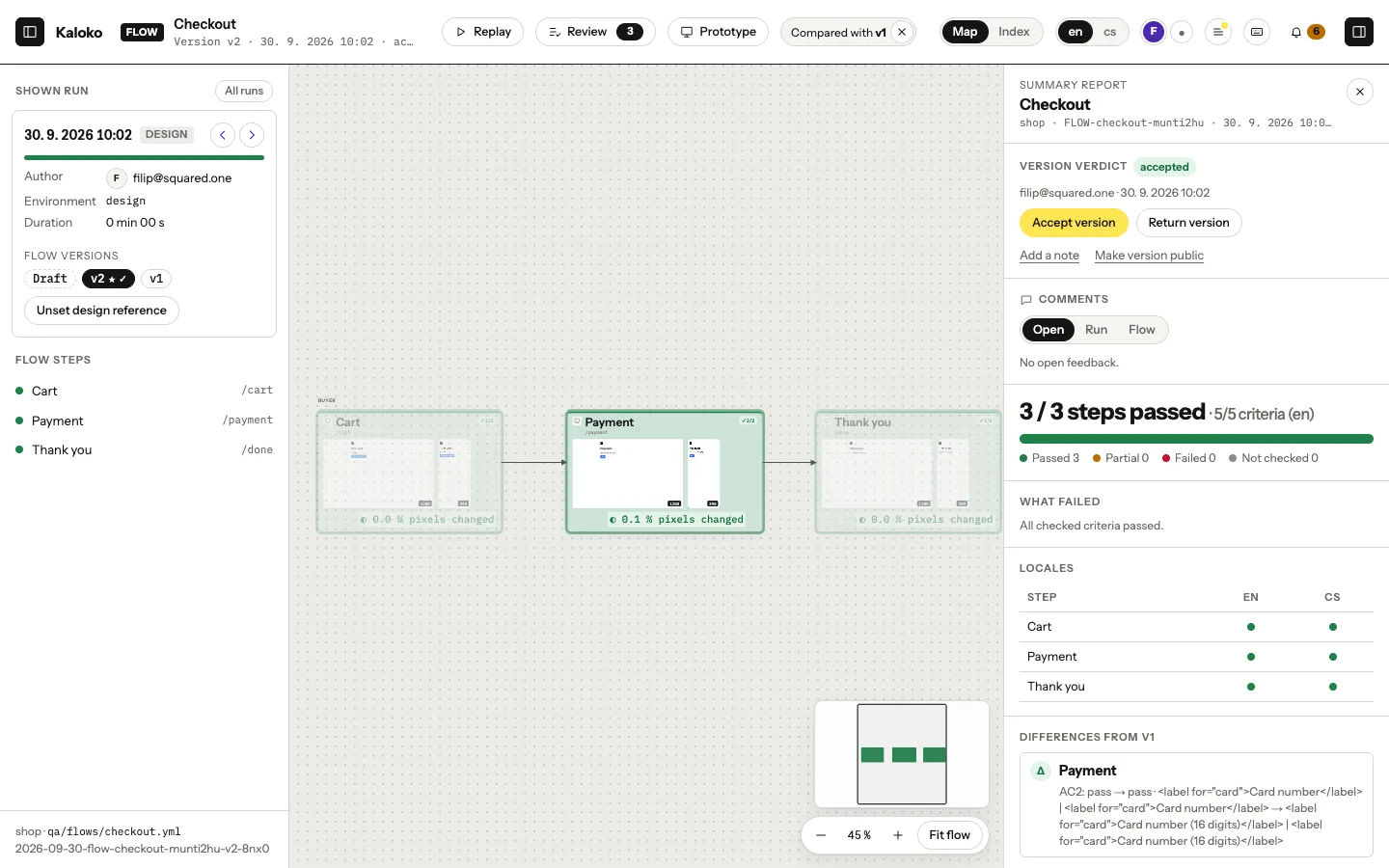
npx kaloko share --name "Checkout v2"This publishes a version of the whole flow, such as "v2 · 3 changed, 17 unchanged". Unchanged steps are stored once. share --notes-preview shows the notes on what changed before you publish.
Make it the reference
Once a person has accepted the version, make it the design reference (Team plan and up):
npx kaloko reference --design --version 2Turn on packs: [design] for the implementation steps of the scenario. On Business and up, every implementation run is then checked against the reference: pixels, structure, tokens and contrast, and kaloko drift names the token to use where the code differs.
Coming from Figma
If the design already lives in Figma, kaloko design import figma <file-url> --scenario qa/flows/checkout.yml turns its frames into design steps and its variables into tokens. A folder of frames exported from Figma works without a token.