Approve or return a run
Your decision is what turns "the agent says it is done" into "it is done". You decide step by step, then for the whole run.
Decide each step
- Open a step and read its criteria. A green criterion was checked by Kaloko; one that needs a person says so, and that judgement is yours.
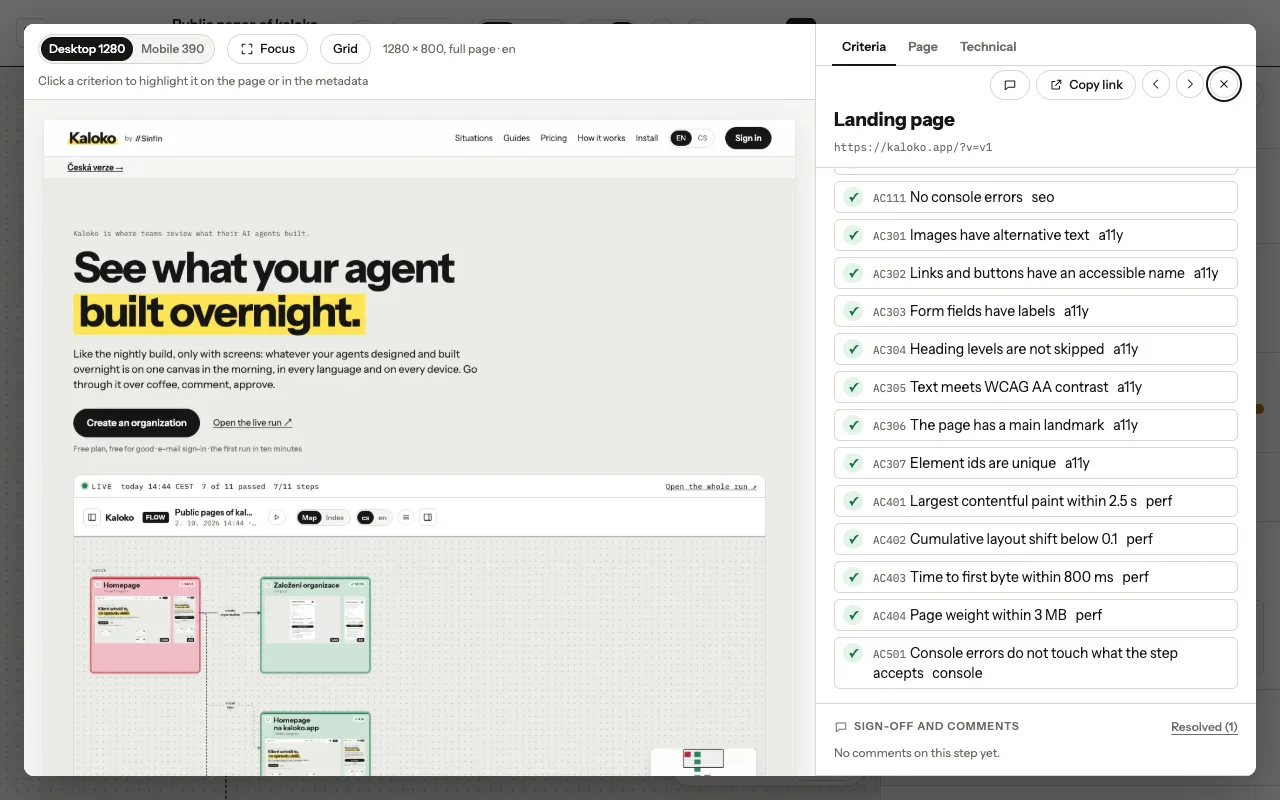
A step with its criteria and comments · - Under the comments, choose Approve when the step is right. When it is not, write what should change and choose Reject: "the total jumps when the price loads", not "fix this". The agent reads the note and works from it.
Decide the run
- When every step is approved, choose Accept run. The run becomes the picture of this version: the changelog and the docs show its screens from now on.
- If something has to change first, choose Return run. Whoever shared it gets your notes; when they share the next run, the comment in the pull request points to it.
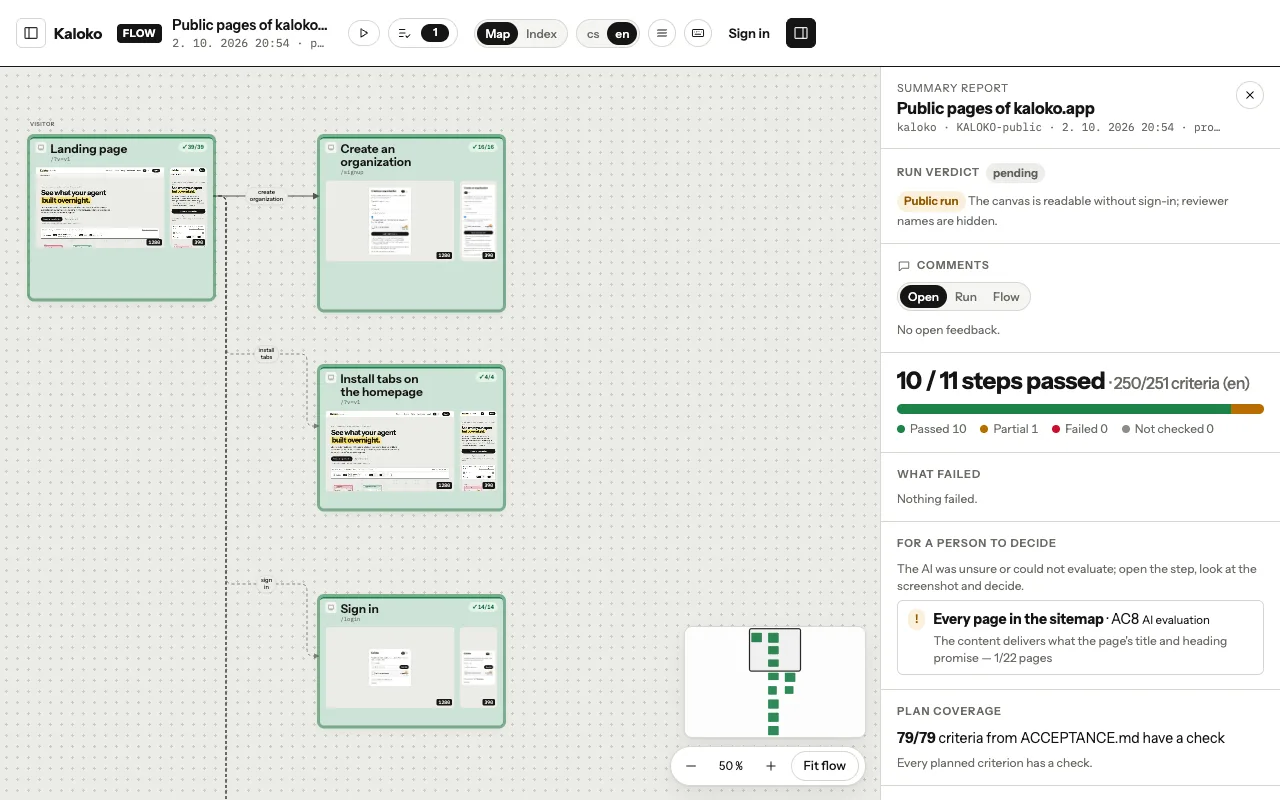
The run on the canvas ·
Next time is shorter
In the next run, steps whose screens did not change keep your approval. You only look at what is new or different, and the canvas says which approvals were carried over and from which run.
Agents can comment and suggest, but only a person accepts a run.