Your first run in ten minutes
By the end of this tutorial one flow of your app is on the canvas at kaloko.app, shared, with every screen in every language and screen size your scenario names. You need Node 20 or newer, Chrome, and an app running locally.
Install the CLI
In the root of your project:
npm install --save-dev kaloko
npx kaloko init --agent claude --org <your-org>
Use --agent codex for Codex, --agent all for both, or leave it out to drive the CLI yourself. init writes kaloko.config.yml and copies the skill to your agent. It also reads the project: the framework, the dev server's command and URL, the locales and the main routes. From those it drafts a first scenario, qa/flows/main-pages.yml, so the first walk works without editing.
If you have no organization yet, create one first; you become its admin.
Sign this machine in
npx kaloko login
npx kaloko doctor
login opens the browser, you approve the code and choose what the token may do. It is saved to ~/.config/kaloko/.env. doctor checks Node, Chrome, the config, the environments and the token, and says what to fix next to every ✕.
Walk the flow
Start your dev server, then:
npx kaloko start --scenario qa/flows/main-pages.yml --env local
npx kaloko walk
npx kaloko preview
start creates a run, walk opens every step in the browser and captures it, and runs the checks as it goes. It ends with the verdicts: what failed and what a person should look at. preview prints the path of the local canvas, which opens from disk.
With the skill installed you can skip the typing and ask the agent instead: "Walk the main pages with Kaloko on local and show me what fails." It runs the same commands.
Share it
npx kaloko shareThe run goes to kaloko.app and the command prints its link. On a branch with a pull request, share --pr also puts the link in a comment on the pull request.
Look at it and decide
Open the link. The run is a map of its steps; click one to see the screenshot, the criteria and what was found.
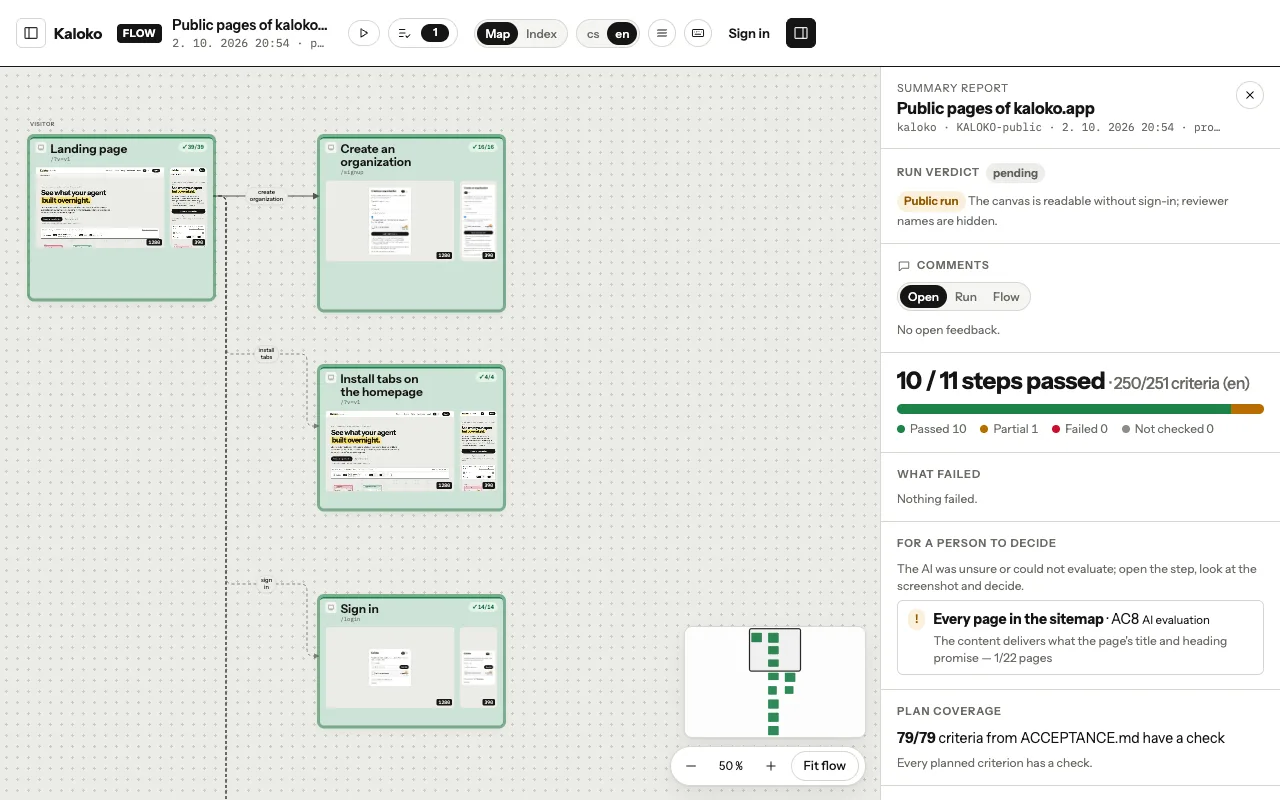
Approve the steps that are right, return the rest with a note, and accept the run when you are happy with it. Your agent reads the notes with kaloko feedback.
Where next
- Write a scenario for the flow you care about most.
- Review a run shows the canvas in more detail.
- Run it in CI on every pull request.
- The CLI reference lists every command.