Compare with a baseline and ignore what always changes
Before a release you want one answer: what looks different from the version the team accepted, and is it on purpose. A good run of a scenario becomes its baseline, and every later run is compared with it.
Set the baseline
On the canvas, open a run you are happy with, choose Accept run and then Set as baseline. Each scenario has one baseline, and it moves only when someone sets a new one. From the terminal:
npx kaloko reference --scenario checkout --baseline --run <run-id>
npx kaloko reference --scenario checkout                     # show the current one
Compare a run
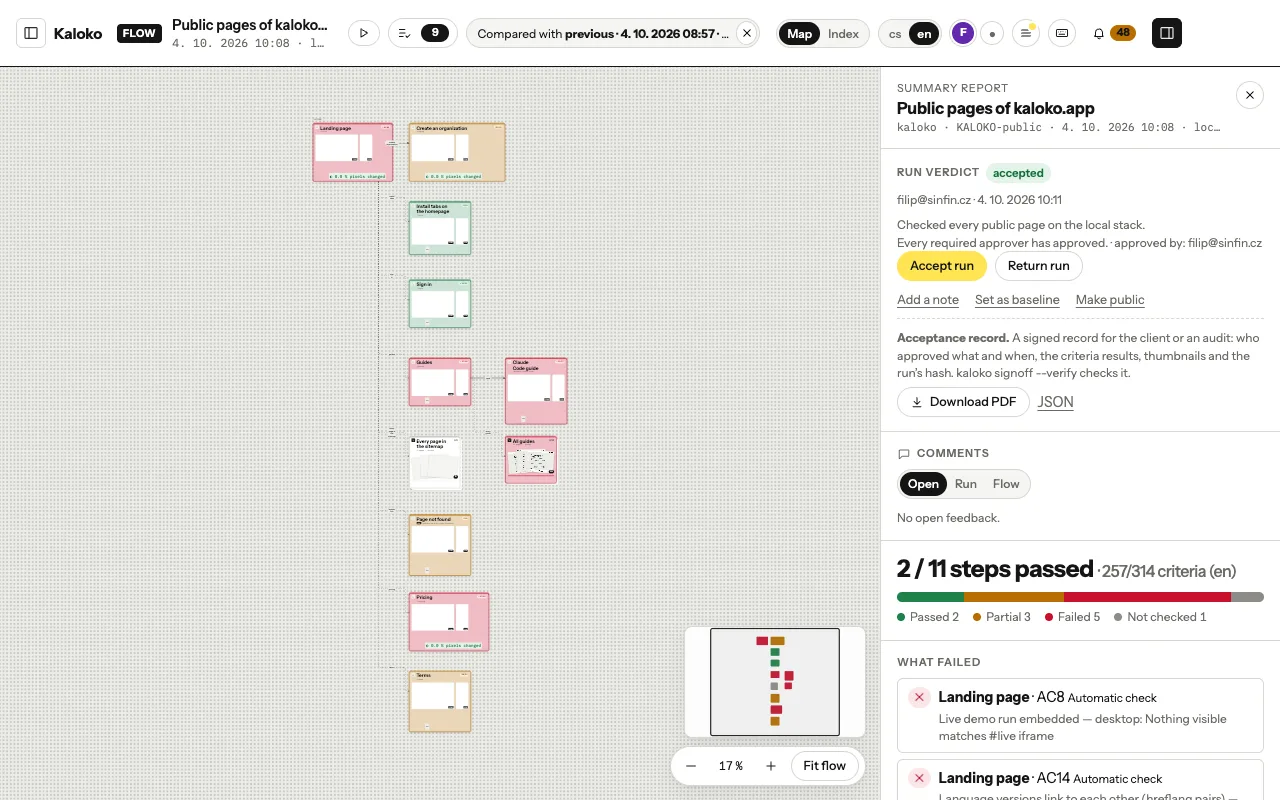
On the canvas, choose Compare and the baseline (or the previous run, or any other run of the scenario). Each step gets a badge with the share of pixels that changed, and criteria whose verdict or evidence changed are marked.
In the step detail you can look at the change four ways: Side by side, Diff, Swipe (drag a line across the two screenshots) and Onion skin (fade one into the other). G shows one step in every language and screen size at once.
The same comparison as text, for an agent or the release notes:
npx kaloko compare                       # the current run against the baseline, else the previous run
npx kaloko compare --run <id> --baseline <id> --json
Ignore what always changes
Clocks, ads, carousels and "3 minutes ago" change on every run and drown the real differences. Leave them out of the pixel comparison with ignore: on the step:
nodes:
  - id: home
    ignore:
      - { selector: ".ticker", note: live prices }
      - { rect: [0, 620, 1280, 180], viewport: desktop }
You do not have to find them by hand:
npx kaloko walk --stability 3      # three screenshots of each capture a moment apart
npx kaloko stability               # what moved, compared with earlier runs of the scenario
npx kaloko stability --apply       # writes the suggestions into ignore:
Look at the screenshots before you apply them: a region that changed because the page really changed is not noise.
Reviewers can mark noise too. In the step detail on kaloko.app, Mark a changing region and draw a rectangle on the screenshot. It shows dashed on every run of the flow, and the canvas diff skips it at once. To put those regions into the scenario, run:
npx kaloko stability --pullWalk the affected steps again afterwards: a capture records the regions it ignored.