Roles and API tokens
Every person in an organization has a role, and every token acts for a person with no more rights than that role. Agents and CI use tokens; they never take a seat.
Roles
| Role | May do | Seat |
|---|---|---|
| Viewer | read runs and designs, comment, approve and return | free |
| Designer | also work on Kaloko Design drafts, versions, branches and token sets | one seat |
| Developer / Tester | also upload and manage runs and their own tokens | one seat |
| Admin | also manage members, domains, all tokens and the organization's settings | one seat |
A project can have its own project admin, who invites people to that project, changes their roles and can restrict or open it. Developers / testers and admins can create projects; whoever creates one becomes its admin. Change a member's role in Settings → People.
Create a token in the app
- Open Settings → API tokens.
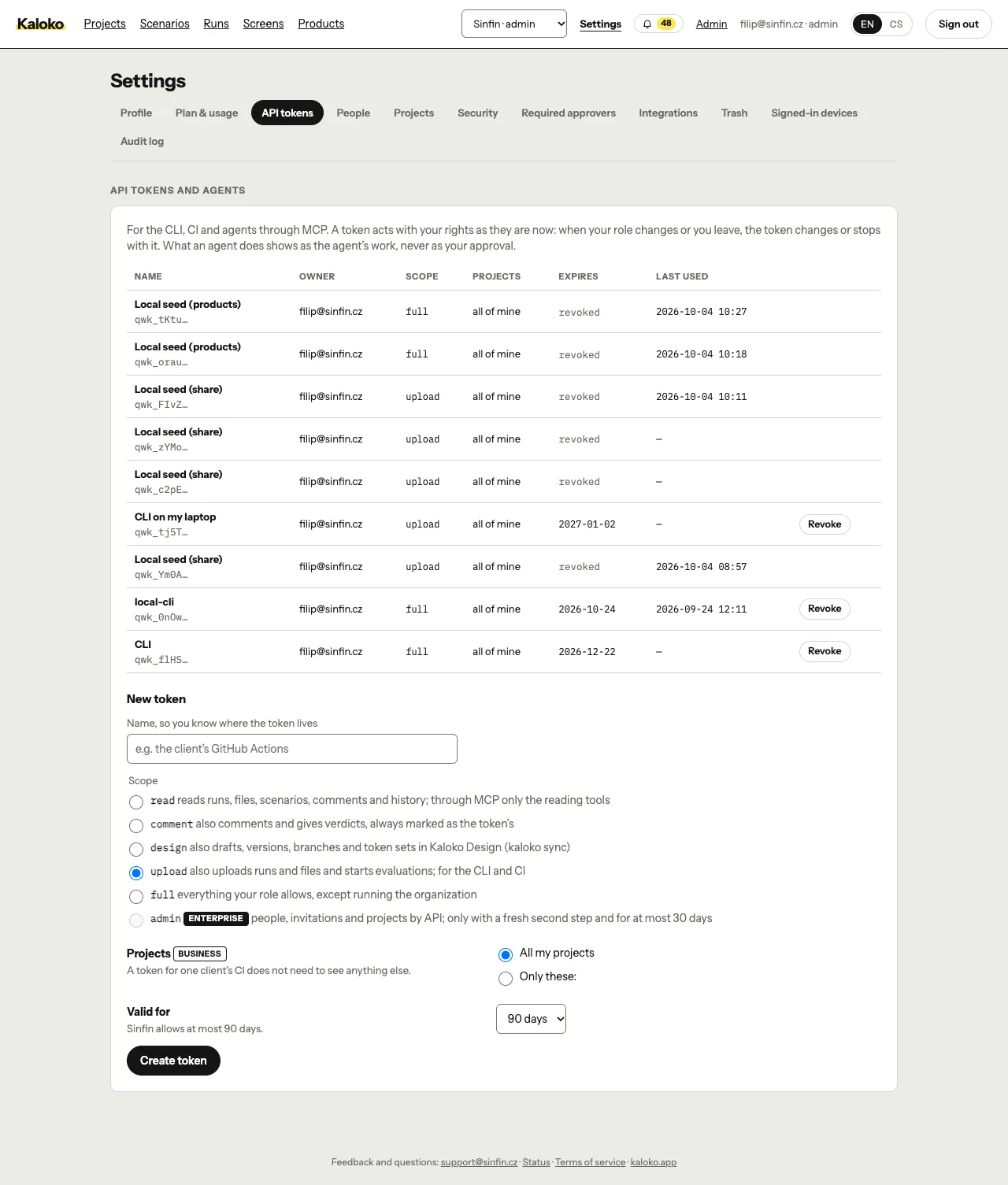
API tokens in Settings · - Name the token after where it lives, for example "laptop CLI" or "GitHub Actions".
- Tick what it may do. Reading is always included.
- comment and approve: comments and verdicts, as you
- design:
kaloko syncof design drafts - upload runs:
kaloko sharefrom the CLI or CI - everything my role allows
- Pick how long it lives: 30 days, 90 days or a year.
- Optionally limit it to chosen projects; it then sees only those and cannot create new ones.
- Copy the token once and put it into the project's
.envasKALOKO_TOKEN.
The list shows each token's owner, role, prefix, last use and expiry. Revoke ends a token at once.
Sign in from the terminal
On your own machine there is a shorter way:
npx kaloko loginThe browser opens; you approve the code, choose the organization and what the token may do. The token is valid for at most 30 days and is saved to ~/.config/kaloko/.env. --print prints it instead, --no-open shows the link without opening a browser.
Tokens for CI
Create a token with the upload runs scope, ideally limited to the project, and store it as a KALOKO_TOKEN secret in your CI. npx kaloko ci github and ci gitlab write workflows that read it; see the CLI reference.
Rules an admin can set
Under Settings → Security an admin can allow only admins to create tokens with every right, turn off tokens limited to projects, and decide whether guests may create tokens at all. A guest's token sees only their projects. On Enterprise, service accounts hold tokens for automation that belongs to no person.