Review a run
A run is one pass of an agent through a flow: every screen it reached, in every language and screen size it walked, with the checks it made. You review it in the browser; there is nothing to install.
Open the run
- Open the link from the pull request, the issue or the e-mail. The run opens on the canvas: every step of the flow as a map, with arrows for the way between them.
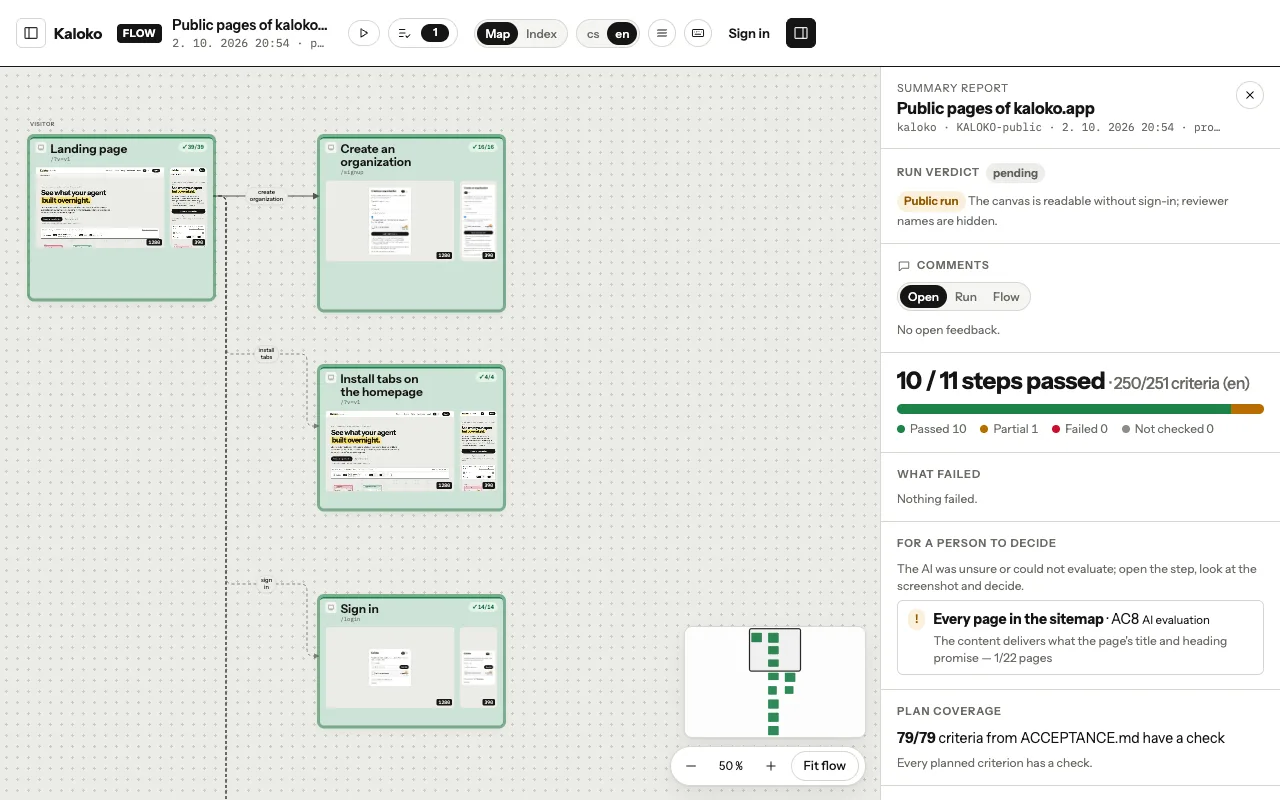
The map of a run · - If you would rather work through a list, press I. The same run becomes a list of steps with their results, and you can search it and filter by status.
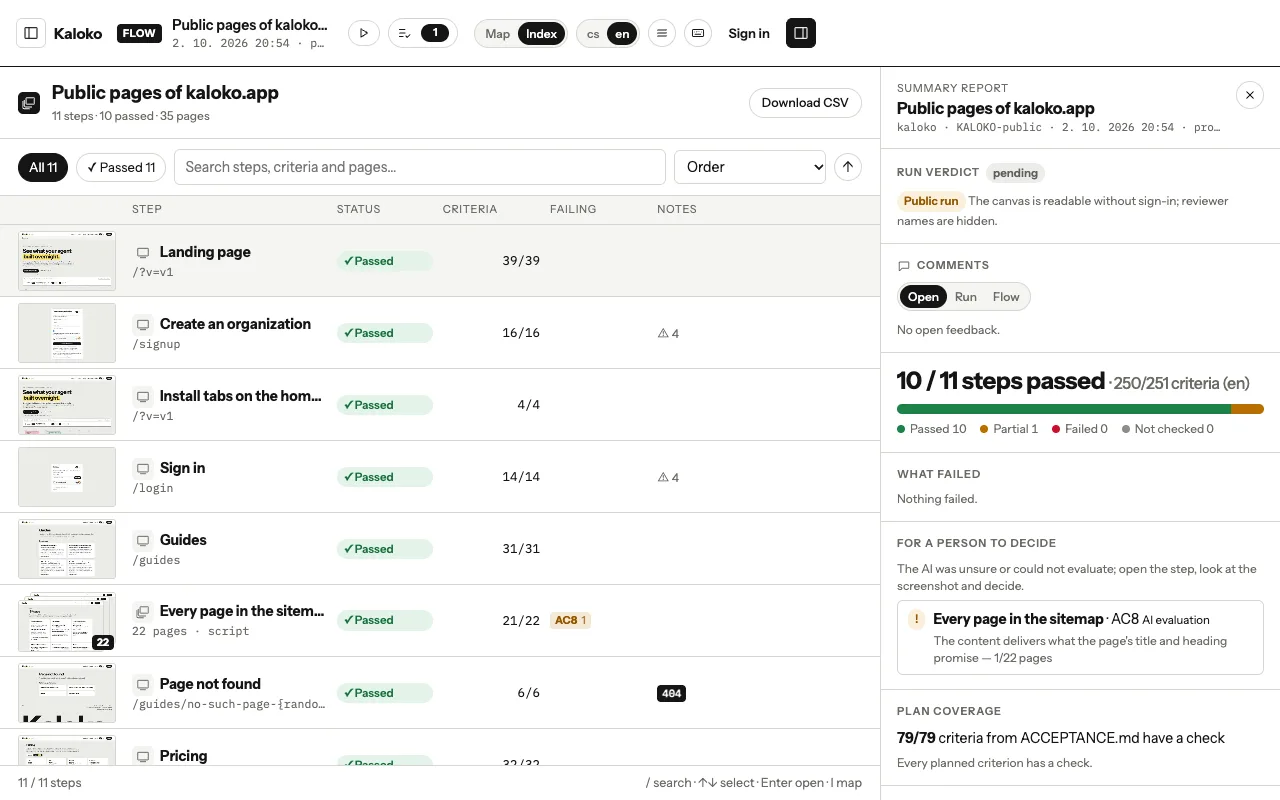
The run as a list ·
Look at a step
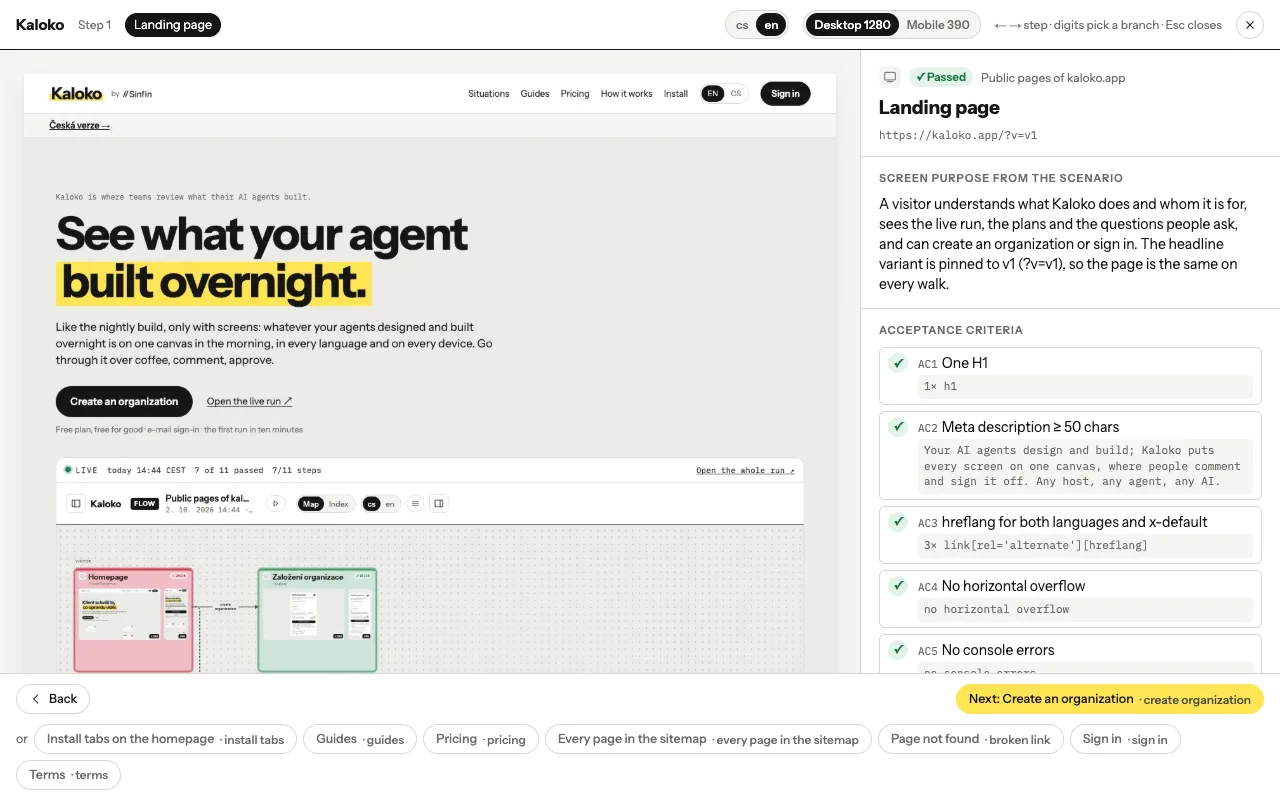
- Click a step. Its detail shows the screenshot, the criteria with what was found, and the comments people left on it. ← and → move to the previous and next step.
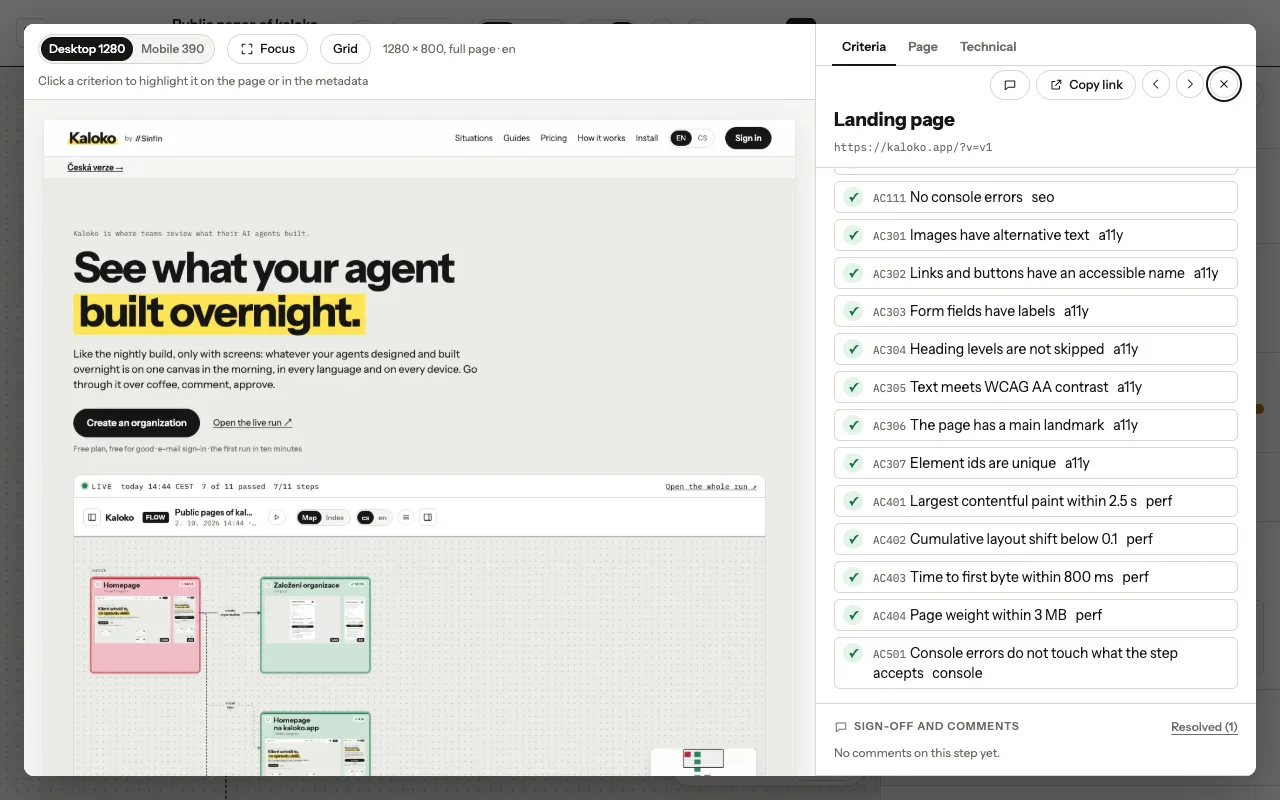
A step with its comments · - Something looks wrong? Write a comment on the step. All open comments of the run sit in the comments panel, so nothing gets lost between steps.
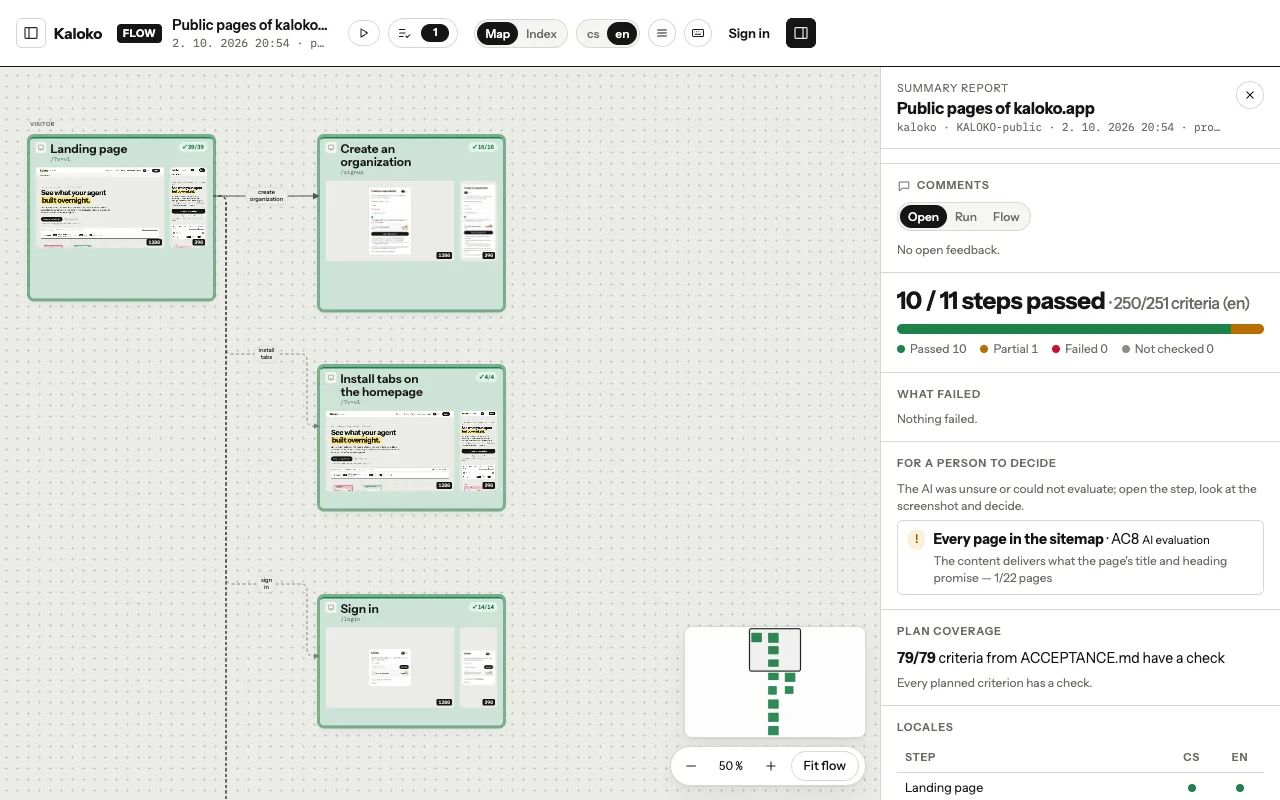
The comments panel ·
Walk it like a user
Press R to replay the run: one screen at a time, in the order a person would see them. It is the quickest way to show the flow to someone who has never seen the canvas.
When you know what you think, approve or return the run.